Digital Menu for Bars: How to Digitalize Your Bar's Menu (2026 Guide)
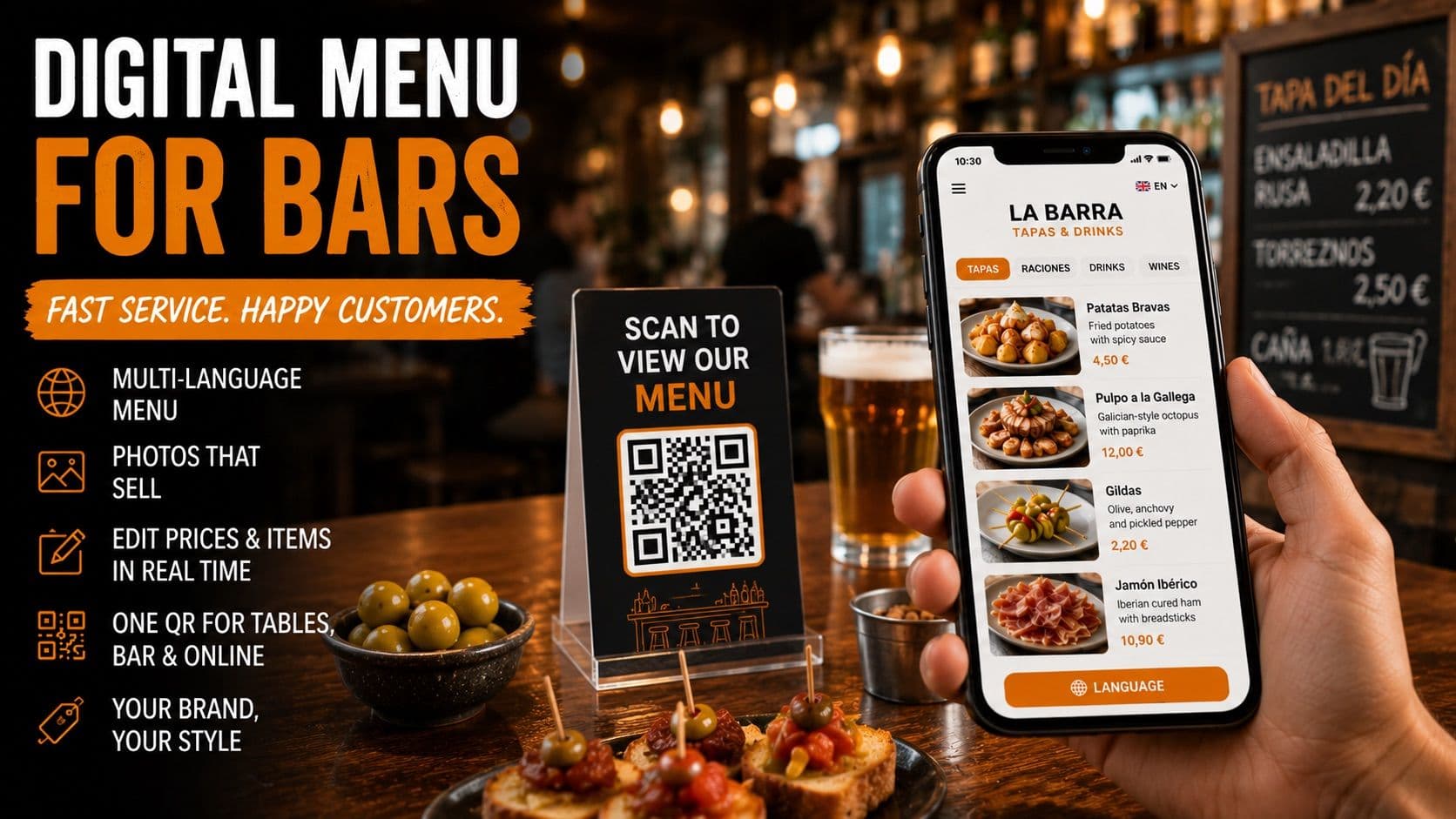
Digital Menu for Bars: How to Digitalize Your Bar's Menu (2026 Guide)
A bar is not a restaurant, and its menu isn't either. In a bar, things move fast: the customer walks in, looks at the counter, orders in thirty seconds, and leaves in half an hour. Tapas and portions change by the day, prices are adjusted more often than you'd like, and if you are in a high-traffic area, half of your clientele consists of tourists who have no idea what "boquerones en vinagre" (pickled anchovies) or "callos" (tripe) are.
This fast pace is exactly where a paper menu or a laminated PDF falls short. And it's where a well-set-up digital menu for bars makes a real difference—not just in terms of image, but in what each customer orders and the time you save managing it.
In this guide, I'll tell you why a bar needs a digital menu that is different from a typical restaurant menu, what it must have to truly work at the counter, and how to set it up in minutes using the one you already have.
Why a Bar Needs a Digital Menu (and Why Just Any Menu Won't Do)
A bar's menu has three specific characteristics that a restaurant's menu usually doesn't, and all three play in favor of going digital:
It changes constantly. Tapas of the day, a dish that just sold out, a beer price going up by ten cents. In a bar, you touch the menu much more often than in a sit-down restaurant. Every change on paper means reprinting; every change in digital takes ten seconds from your mobile.
It features many "untranslatable" dishes. Gildas, zorza, salmorejo, grilled pig's ear. For a local, it's obvious; for a tourist, it's a mystery. And what isn't understood isn't ordered: tourists end up ordering an omelet and a beer to stay safe, when they could have ordered three different portions instead.
It operates on volume and turnover. In a bar, the average check is low but turnover is high. Anything that slightly boosts the average check size of each table or bar stool multiplies across a massive number of orders per day.
A digital menu tackles all three things at once. It's not a cosmetic luxury: it's a sales and management tool.
What Problems It Specifically Solves in a Bar
Let's move from the concept to the actual bar counter:
- Tourists understand what they are ordering. With the menu translated into their language, foreign customers dare to try unique dishes instead of playing it safe. More confidence means larger orders.
- Tapas and portions sell themselves visually. A photo of patatas bravas or an Iberian cured meats board sells itself. In a bar, where customers decide in seconds, the image does the work your waiter doesn't have time to do.
- Change prices and mark sold-out items instantly. Run out of octopus during a packed Saturday rush? Mark it from your mobile and it disappears from the menu on every table instantly, without reprinting or crossing things out with a pen.
- The QR code decongests the bar. Customers scan, browse, and decide without waiting for you to hand them a plastic menu that everyone else has touched.
What a Good Digital Menu for a Bar Must Have
Not all tools work well for the fast-paced rhythm of a bar. Before choosing one, make sure it meets these requirements:
- Real-time editing from your mobile phone, and ensure the QR code stays exactly the same after every change. If you have to reprint the QR code every time you adjust a price, it won't work for a bar.
- Automatic translation into your customers' languages (English, French, German...), and it needs to understand the culinary context rather than translating word-for-word. "Pulpo a la gallega" is not "octopus to the Galician way."
- Photos of the dishes without having to hire a photographer for a session of fifty different tapas.
- Your brand: your colors, logo, and a design consistent with your bar, not a generic gray template.
- QR code and link ready for everything: tables, the bar counter, windows, and to paste into your Google Business Profile or Instagram.
If a tool fails on point 1 or 2, it is practically useless for a bar.
How to Create Your Bar's Digital Menu in Minutes
Here is the usual bottleneck: most tools force you to type in dish by dish, find photos on your own, and wrestle with a design. For a bar with fifty items across tapas, portions, sandwiches, and drinks, that means hours you simply don't have.
The shortcut is to start with what you already have. Instead of building the menu from scratch:
- Take your current menu, whether it's a PDF, a photo, or a laminated sheet.
- Upload it to a tool that automatically extracts the dishes, prices, and descriptions.
- The tool generates a photo for each tapa or portion, translates the menu into multiple languages, and gives you a mobile-friendly menu featuring your brand and a QR code.
- Review it, adjust anything you want from your mobile, and place it on the tables.
From a paper menu to a digital menu with photos and translation in just a few minutes, without designers or photoshoots.
Besmeo: Your Bar's Digital Menu, Built from the One You Already Have
Besmeo is designed exactly to save you from that manual labor. Upload the PDF or a photo of your bar's menu and the tool does the rest: it automatically extracts the tapas, portions, and prices, generates a photo for each dish, translates the menu into your customers' languages, and delivers a mobile digital menu with your brand and a customizable QR code ready to print and place on the bar counter and tables.
From there, you manage it yourself from your mobile: change a price, hide a sold-out dish, add the tapa of the day, and the QR code remains exactly the same. It's the exact combination a bar in a tourist area needs—photos that sell, translation for tourists, and instant editing—without the hassle of setting it up manually.
You can try it for free with your own bar's menu and see how it looks before making any decisions:
👉 Create your bar's digital menu at besmeo.com/create-your-menu
Conclusion
A bar's menu works at a pace that paper simply cannot handle: it changes frequently, features dishes that tourists don't understand, and relies heavily on high turnover. A digital menu for bars with photos, translation, and instant editing is not a luxury; it's a way to help every customer order with more confidence and to stop you from wasting time reprinting.
If you want to see how your bar's menu would look without setting it up by hand, upload your PDF or a photo at besmeo.com/create-your-menu and check it out in minutes.
Frequently Asked Questions
How much does it cost to implement a digital menu in a bar? Much less than reprinting menus every season. There are tools with free trials; with Besmeo, you can create your bar's menu and preview it with your own dishes before paying anything.
Do I need computer skills to manage it? No. It is designed for hospitality owners, not tech experts. You upload your current menu, and the rest is automatic; then you edit from your phone just like sending a WhatsApp message.
Do I have to reprint the QR code every time I change a price? No. The QR code stays the same, and only the content updates. This is crucial for a bar, where you tweak the menu frequently.
Does it work for a tapas bar with foreign clientele? That is precisely where it performs best: the translation ensures tourists understand the tapas and feel confident ordering more, and the photos help them decide in seconds.