Digital Menu for Cafes: How to Create Your Coffee Shop Menu and Sell More Effortlessly
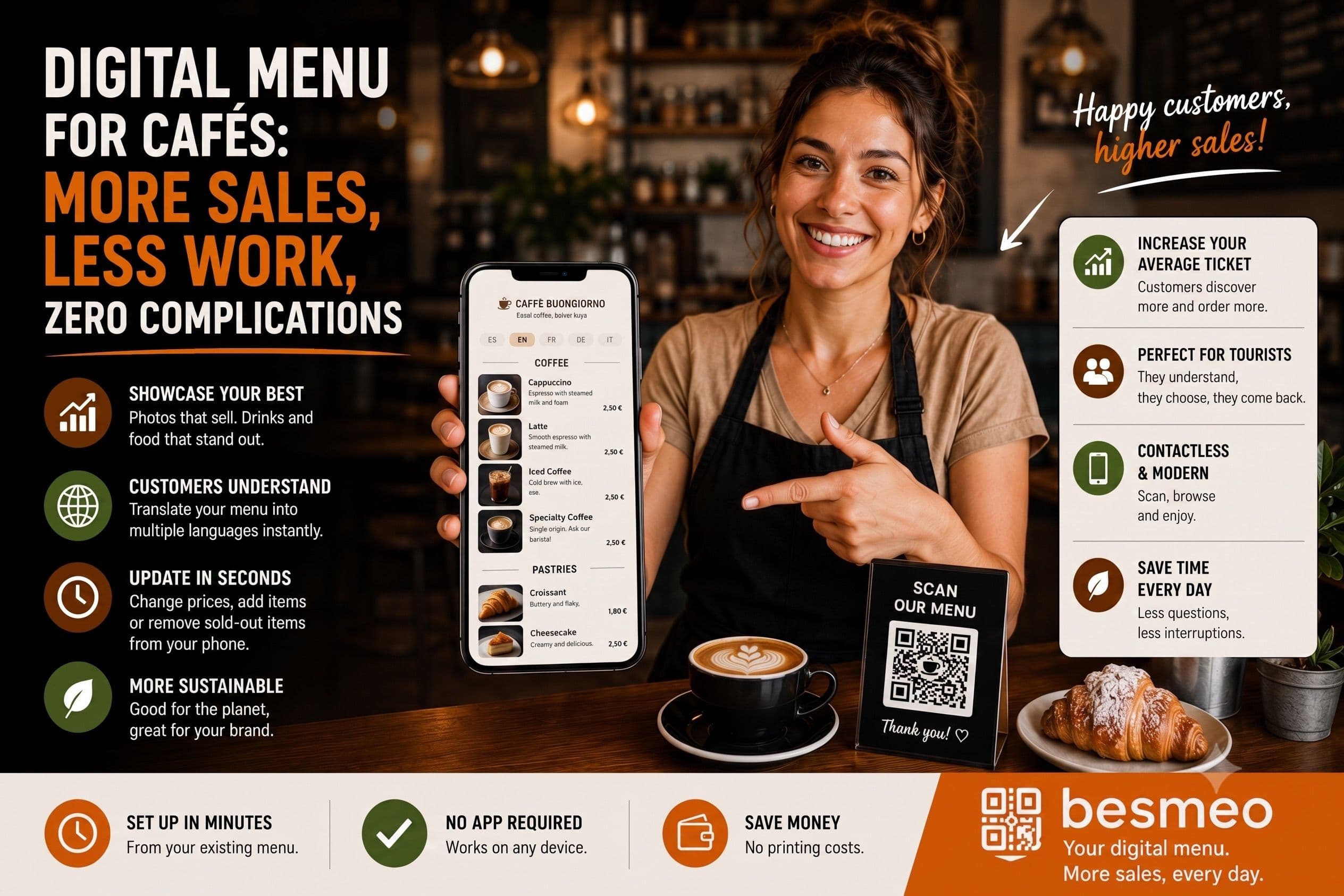
Digital Menu for Cafes: How to Create Your Coffee Shop Menu and Sell More Effortlessly
A coffee shop seems like the simplest business in the world: a coffee, some toast, and you're done. But anyone who runs one knows that a cafe menu is one of the most dynamic things out there. You change pastries depending on the day, add and remove seasonal specials, adjust prices when coffee or milk costs rise, add the trendy drink of the moment, and on top of that, you serve a very varied public: the regulars who come for breakfast, the mid-morning crowd, tourists looking for a place to rest, and those who stay all afternoon with their laptops.
All that variety and those constant changes make a cafe menu something that paper handles poorly. And every time the menu falls short—because it’s not understood, because it lacks photos, because it’s outdated—it is costing you sales without you even noticing.
Creating a digital menu for your cafe solves those problems all at once. And the best part: getting it up and running won't take you even an afternoon. You don't have to design anything from scratch or learn any software. You start from the menu you already have, and the result practically creates itself.
In this guide, I’ll tell you what specific problems it solves in a cafe, what real advantages it brings you, and how to have it working in minutes.
Why a Coffee Shop Menu Needs to Be Digital
A cafe menu has certain characteristics that make it particularly cumbersome to maintain on paper:
It changes more than a restaurant menu. In a restaurant, the menu can last for months. In a cafe, you add the cake of the day, the seasonal special (frappé in summer, hot chocolate in winter), remove what has sold out, and test a new drink. These are constant micro-changes that, on paper, mean reprinting or, worse, crossing things out and sticking labels on.
Pastries sell with their appearance more than almost anything else. A cake display case sells on its own, but the menu isn't the display case. A customer who looks at the menu and reads "carrot cake" doesn't feel the same as one who sees a photo of the slice with its frosting. And most cafes don't have photos on the menu because hiring a photoshoot for everything isn't worth the cost.
The audience is very varied, and many are from out of town. Cafes, especially in city centers and tourist areas, receive a lot of foreign customers. Tourists looking for somewhere to have breakfast or a mid-afternoon snack enter a cafe more frequently than a restaurant. And if the menu is only in Spanish, they won't understand if that "blanco y negro" is a coffee or a dessert, what the "mixta" contains, or what a "suizo" is.
Prices fluctuate with raw materials. Coffee, milk, cocoa, butter: the basics of a cafe have risen significantly in price. Adjusting prices on paper is slow and expensive. Digitally, it takes seconds.
There is a high volume of small tickets and high turnover. A cafe lives on volume: many customers, low average ticket. Anything that increases the average check—the customer adding a sweet, ordering a specialty coffee instead of a regular one—is multiplied by hundreds of consumptions a day.
What You Gain with a Digital Menu in Your Cafe
Let’s get down to the specifics: what really changes when you digitize your menu.
You sell more sweets and extras. Customers who see the photo of the cheesecake with red berries will order it, whereas they would have overlooked it in text format. Photos turn "just a coffee" into "a coffee and a piece of cake." In a low-ticket business, that extra repeated hundreds of times a day is exactly where your margin lies.
Tourists understand the menu and order with confidence. With the menu translated into their language, foreign customers understand what each coffee, sandwich, and sweet is. They stop ordering the safe option (a plain coffee) and dare to try the house special, the brunch, or the pastries. More confidence means a higher ticket.
You change the menu instantly, without reprinting. Add the cake of the day in the morning, mark the croissant as sold out in the afternoon, update the coffee price when needed, and everything updates instantly from your phone. The QR code on the tables remains the same. Zero printing, zero waiting, zero crossed-out items.
You manage specials and seasonality at no cost. A cafe menu lives on specials: the summer frappé, the autumn pumpkin spice, the breakfast promotion. With the digital menu, you add and remove them whenever you want without it costing you a cent or a reprinting.
Your cafe looks more professional. A digital menu with photos, your branding, and your colors conveys that you pay attention to detail. In a sector where aesthetics matter a lot (cafes are lived in and photographed), that earns you points before the customer even tastes anything.
It works for customers who stay. The person who comes with a laptop and spends the afternoon is a customer who will order again. A menu accessible from their phone, always at hand, makes it easier for them to order that second drink without having to get up or look for a waiter.
What a Digital Menu Will NOT Fix (Let’s Be Honest)
I’m not here to sell you smoke. If your coffee isn't good or your pastries aren't up to par, no photo will save it. If the service is slow, the QR won't speed it up. The digital menu helps you sell more and manage better, but the product remains yours.
And a practical note: it’s wise to keep a few paper menus for customers who prefer them (elderly people, someone with no battery). The digital menu complements paper and takes away most of the heavy lifting, but it doesn't have to replace it entirely.
The Real Effort of Creating the Digital Menu: Practically Zero
Here is the hardest part to believe: creating your cafe's digital menu won't steal your afternoon.
The process is this:
- You take the menu you already have: a PDF, a photo of the paper, whatever.
- You upload it to a tool that reads it automatically and extracts the drinks, sweets, sandwiches, and their prices.
- The tool generates a photo of each product, translates the menu into several languages, and gives you a digital menu with your branding and a QR code.
- You review it, adjust what you want, and place it on the tables and the bar.
You don't type anything dish by dish. You don't search for photos. You don't hire a designer. You don't learn any software. You upload what you have, and the result comes out on its own, in minutes. From then on, you make every change from your mobile in seconds, and the QR code never changes.
Where to Put the QR Code in a Cafe
A detail specific to cafes: here, the QR code doesn't just go on the table. You have more places to take advantage of it:
- On the tables, for those who sit down.
- At the bar, for those ordering standing or to-go.
- In the display window, so those passing by can see the menu before entering (key for capturing tourists who are deciding where to stop).
- On your Google and Instagram profile, so those searching for you online can see the menu without friction.
A cafe has more touchpoints than a restaurant, and the digital menu lets you be present in all of them without printing different menus.
Besmeo: Your Cafe's Digital Menu, Made from the One You Already Have
Besmeo is designed exactly for this. You upload the PDF or a photo of your current menu, and the tool extracts all your drinks, sweets, sandwiches, and breakfasts with their prices, generates a photo of each product, translates the menu into your customers' languages, and delivers a mobile digital menu with your brand and a customizable QR code ready to print and put on the bar, tables, and window.
From there, you manage it yourself from your phone: add the cake of the day, hide a sold-out item, change a price, launch the seasonal special, and the QR code remains the same. All the initial work is done by the tool; you just review and publish.
You can try it for free with your own cafe's menu and see how it looks before deciding anything:
👉 Create your cafe's digital menu at Besmeo**
Ready to digitize your restaurant?
Create my menuConclusion
A cafe's menu changes more often, has more visually appealing pastries, and receives more foreign customers than many restaurants. Managing it on paper costs you money (reprinting), time (waiting days), and image (crossed-out items and menus without photos). And every tourist who doesn't understand the menu, and every customer who doesn't see the dessert, is a missed order.
Creating a digital menu for your cafe solves all of that with minutes of setup effort: you upload your menu, the tool does the work, and every subsequent change takes ten seconds from your phone. More sales, less work, zero reprintings.
If you want to see how your cafe's menu would look without building anything by hand, upload your menu at besmeo.com/create-your-menu and check it in minutes.
FAQ
Where can I create a digital menu for my cafe? With a specialized tool like Besmeo: you upload your current menu (PDF or photo), and it generates the digital menu with photos, translation, and QR automatically, without you having to design anything.
How much do they charge for making a digital menu? It varies a lot. A custom designer can cost hundreds of euros. A digital tool is around 25-50 euros per month and includes unlimited updates, photos, and translation. Many have a free trial so you can see it before paying.
Can I create my cafe's menu for free? You can try it for free: tools like Besmeo let you create the menu and see it with your own products for 14 days without a credit card. Continued use is paid, but it is usually cheaper than reprinting menus throughout the year.
Do I have to reprint the QR code every time I change the menu? No. The QR code stays the same, and only the content is updated. It is ideal for a cafe where you are constantly adding and removing specials.
Is it useful for a cafe with foreign customers? It is where it pays off the most. Translation helps the tourist understand every coffee, sandwich, and sweet, and the photos help them decide. They order with more confidence and usually order more.