Digital Menu for Pizzerias: How to Digitize Your Menu and Boost Sales Effortlessly
Digital Menu for Pizzerias: How to Digitize Your Menu and Boost Sales Effortlessly
A pizzeria seems like a simple business: dough, tomato, mozzarella, and an oven. But anyone who runs one knows it’s anything but simple. The menu has 40 or 50 items, including pizzas, appetizers, pastas, desserts, and drinks. Each pizza has variations (sizes, crusts, extras). Prices fluctuate with the cost of flour and cheese. And if you’re in a high-traffic area, half your customers are tourists who don't know what a "Quattro Stagioni" or a "Diavola" is, nor do they understand the difference between your artisanal pizza and a generic chain pizza.
All of this makes a pizzeria's menu a document that changes frequently, one that has to explain itself, and if it doesn't, it’s costing you money every day without you even knowing it.
A well-set-up digital menu for a pizzeria solves those three problems at once. And the best part: the effort to get it up and running is practically zero. You don't have to build anything from scratch, you don't have to learn anything new, and it won't take away even an hour that you need for the kitchen.
In this guide, I’ll tell you exactly what problems it solves in a pizzeria, what real advantages it brings you, and how you can have it running in minutes using the menu you already have.
The problems with a pizzeria's menu (that almost no one sees)
A pizzeria's menu has peculiarities that make it especially difficult to manage on paper:
Too many combinations. These aren't just 30 loose dishes: they are 30 pizzas, each with 2-3 sizes, options for thin or thick crust, and extras (extra cheese, add ham, no onions). On paper, that is a nightmare of lines, asterisks, and footnotes. On a mobile screen, it is navigable and clear.
Prices are constantly moving. Flour, oil, mozzarella, tomatoes: the basic ingredients of a pizzeria are exactly those that have risen the most with inflation. If every time you change a price you have to reprint the menu, you either do it with a pen (which looks terrible), or you leave it with the old price (and lose margin). Neither option is good.
Tourists don't understand the names. "Capricciosa," "Quattro Formaggi," "Napoletana," "Calzone"... For a local or an Italian, it's obvious. For a German, English, or French tourist, it's a mystery. And what they don't understand, they don't order. The tourist ends up ordering a Margherita (the safest and cheapest option) when they could have ordered the truffle, burrata, or Iberian ham pizza.
Pizza sells with the eyes. More so than almost any other dish. A pizza with melted mozzarella, a golden crust, and visible ingredients sells itself. But most pizzerias don't have photos on the menu because taking professional photos of 40 pizzas is an expensive photoshoot that isn't worth it. So the menu is just text, and the customer decides blindly.
Extras and allergens. Gluten crusts, lactose in cheeses, anchovies with fish, pine nuts with tree nuts. A pizzeria has allergens in almost every dish, and the law requires you to declare them. On paper, it's a nightmare of tiny icons that have to be updated every time you change an ingredient.
What you gain with a digital menu (the real advantages)
Let's get to what matters: what really changes in your pizzeria when you digitize your menu.
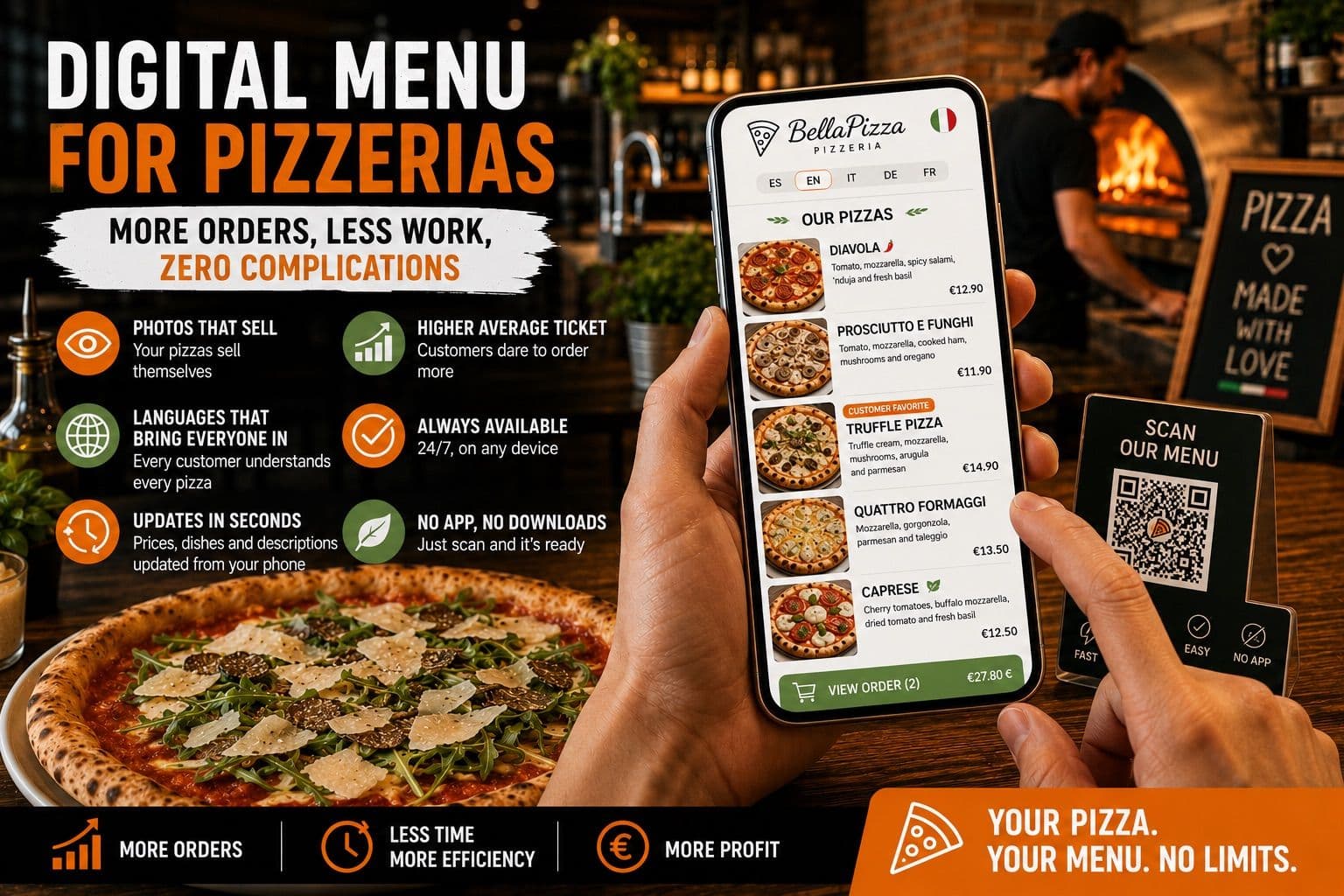
You sell more per table. The customer sees the photo of your truffle pizza with a low-temperature egg and orders it, whereas with just text, they wouldn't have even looked at it. Photos aren't just decoration: they are your best salesperson. A dish with a photo is ordered much more often than the same dish described only with words. And in a pizzeria, where the visual difference between a Margherita and a pizza that costs 4 euros more is huge, the photo is what increases the ticket.
Tourists order with confidence. With the menu translated into their language, foreign customers understand every pizza, every ingredient, and every extra. They don't need to ask the waiter, they aren't afraid of making a mistake, and they are willing to try the expensive pizzas instead of playing it safe. More confidence means more orders.
You change prices in seconds, without reprinting anything. Mozzarella goes up 15% and you need to adjust prices tomorrow. With a paper menu, that’s 3-7 days at the print shop and 50-100 euros. With a digital menu, it takes 10 seconds from your phone and zero euros. The QR code on the tables remains the same. This alone, in one year, saves you more than the tool costs.
You manage out-of-stock items instantly. It's Friday at 10:00 PM and you run out of gluten-free dough. You mark it from your phone, and it disappears from the menu on all tables at that moment. No crossing out with a pen, no waiter having to explain it at every table, no customers ordering something you can't serve.
Extras and variations are understood. Instead of a labyrinth of asterisks and footnotes, each pizza clearly shows its options (size, crust, extras) in an interface designed for mobile. The customer chooses without asking, the waiter doesn't have to explain, and the order arrives correctly the first time.
Allergens are always up to date. You declare them once for each pizza, and when you change an ingredient, you update them instantly—in all languages. No need to reprint the allergen sheet or the little sign on the wall.
Your pizzeria looks more professional. A digital menu with photos, well-designed, with your logo and colors, conveys that you take your business seriously. That elevates the customer's perception before the first dish even arrives at the table.
What DOES NOT change (to be honest)
I'm not going to tell you that a digital menu fixes everything. If your pizza isn't good, no photo will save it. If your service is slow, a QR code won't speed it up. The digital menu helps you sell more and manage better, but the product and service remain yours.
And a practical note: it is always a good idea to have a few paper menus for customers who prefer them (older people, people with low battery). The digital menu doesn't replace paper entirely; it complements it and takes away 90% of the headaches.
The real effort: practically zero
This is what's hardest to believe, but it's true: digitizing your menu won't cost you even an afternoon.
The process is this:
- You take your current menu. The one you already have: a PDF, a photo, the laminated sheet.
- You upload it to a tool that reads it automatically: it extracts the pizzas, prices, and descriptions.
- The tool generates a photo of each pizza, translates the menu into several languages, and gives you a digital menu with your branding and a QR code.
- You review it, adjust what you want, and place it on the tables.
You don't have to type the 40 pizzas one by one. You don't have to look for photos. You don't have to hire a designer. You don't have to learn how to use any software. You upload what you already have, and the result is generated automatically. From paper menu to digital menu in minutes, not days or weeks.
From then on, every change you need to make is done from your mobile in seconds. The QR code doesn't change. You never set foot in a print shop again.
Besmeo: your pizzeria's digital menu, made from the one you already have
Besmeo is designed exactly for this. You upload the PDF or a photo of your current menu and the tool extracts all the pizzas, appetizers, pastas, desserts, and drinks with their prices, generates a photo of each dish, translates the menu into your customers' languages, and provides you with a mobile digital menu with your branding and a customizable QR code ready to print and place on the tables.
From there, you manage it yourself from your phone: change a price, hide an out-of-stock pizza, add the special of the month, and the QR code stays the same. The tool does all the initial work; you just review and publish.
You can try it for free with your own pizzeria's menu and see how it looks before deciding anything:
👉 Create your pizzeria's digital menu at besmeo
Ready to digitize your restaurant?
Create my menuConclusion
A pizzeria's menu has more combinations, more price changes, and more "untranslatable" dishes than most restaurants. Managing it on paper costs you money (reprints), time (waiting days), and image (scratch-outs, patches, menus without photos). And every tourist who doesn't understand the menu is failing to order the higher-priced items.
A digital menu for a pizzeria solves all of that with minutes of setup effort: you upload your menu, the tool does the work, and from then on, every change takes 10 seconds from your phone. More sales, less work, zero reprints.
If you want to see how your pizzeria's menu would look without building anything by hand, upload your menu at besmeo.com/create-your-menu and check it in minutes.
Frequently Asked Questions
How much does it cost to put a digital menu in a pizzeria? Less than what you spend per year on reprinting menus. There are tools with free trials; with Besmeo, you can create your pizzeria's menu and see it with your own pizzas before paying anything.
Can I put photos of all my pizzas without a photographer? Yes. Tools like Besmeo automatically generate a photo of each pizza based on your menu's description. You review it, and if one doesn't convince you, you can replace it with a real photo of your own.
Do I have to reprint the QR code every time I change a price or a pizza? No. The QR code stays the same and only the content is updated. This is key in a pizzeria where raw material prices fluctuate often.
Is it useful for a pizzeria with tourists? It is where it performs best. The translation ensures that tourists understand every pizza and are daring enough to order beyond the Margherita, and the photos help them choose in seconds.
What about allergens? You can declare the allergens for each pizza on the digital menu, complying with regulations. Remember that the assignment of allergens to each dish and their review is your responsibility, but having the menu in digital format makes it easy for you to update them instantly when you change an ingredient.