12 Menu Design Tips That Actually Increase Sales (Backed by Data)
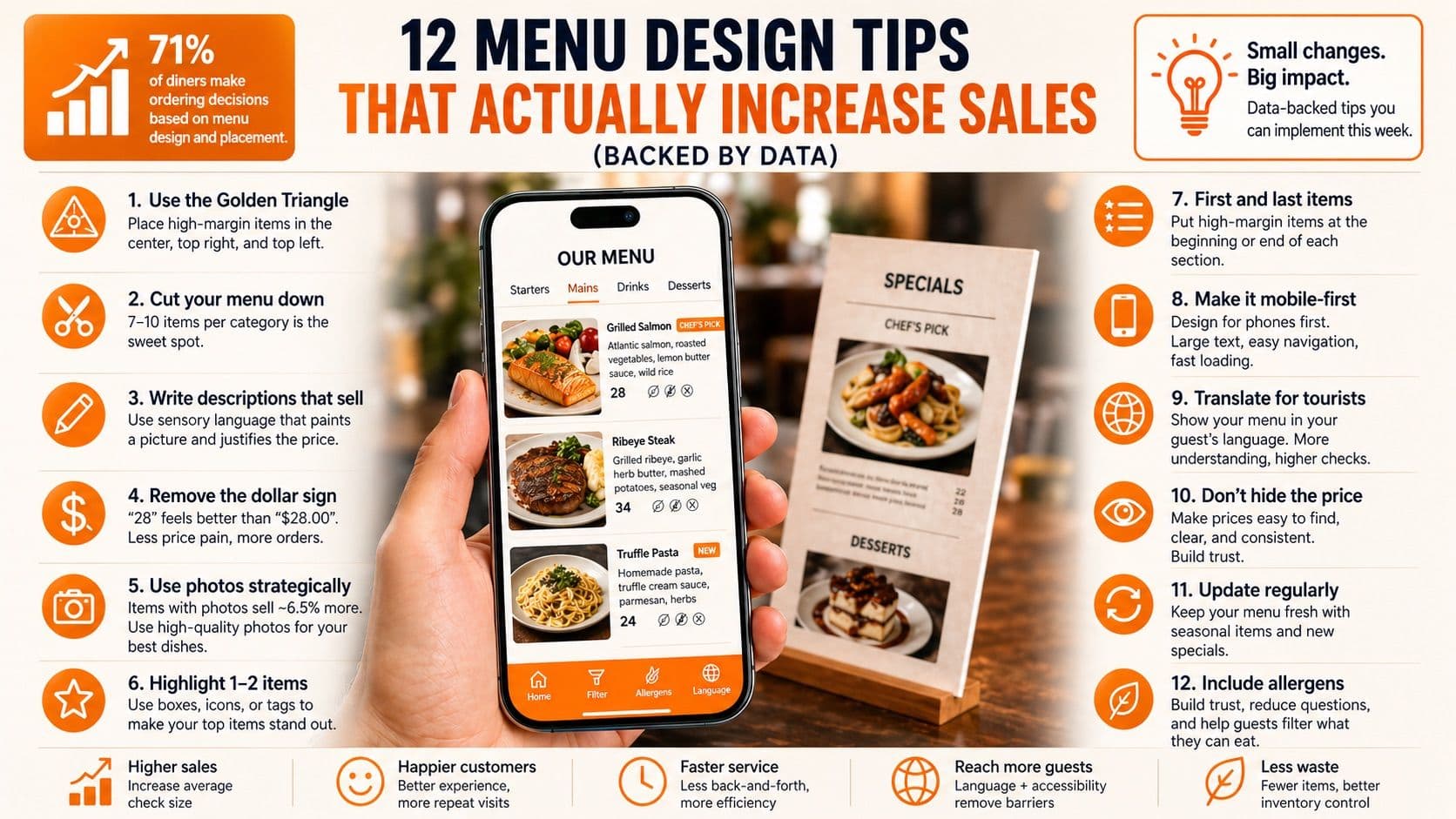
12 Menu Design Tips That Actually Increase Sales (Backed by Data)
Your menu is doing one of two things right now: selling your food for you, or getting in the way. There's no middle ground.
Most restaurant owners spend weeks perfecting their recipes and hours training their staff, but give their menu about 15 minutes of thought. That's a problem, because studies show that 71% of diners make their ordering decision based on menu design and placement — not just what's on the menu, but how it's presented.
The good news: you don't need a design degree or a marketing budget to fix this. These 12 changes are backed by research, and most of them take less than an hour to implement.
1. Use the Golden Triangle
When a customer opens your menu, their eyes don't start at the top left like they're reading a book. Research on eye-tracking shows that diners look at the center first, then the top right, then the top left. This is called the Golden Triangle.
Your highest-margin dishes should live in those three spots. That $34 seafood platter you actually make money on? Put it in the center or top right. The $12 side salad with a 90% margin? It can go somewhere less prime.
This one change — moving your most profitable items into the Golden Triangle — can shift what people order without changing a single dish or price.
2. Cut your menu down
More options doesn't mean more sales. It means more confusion.
When customers face too many choices, they freeze. Psychologists call it decision fatigue. Instead of carefully choosing the high-margin dish you want them to order, they default to whatever feels safe — the burger, the chicken, the Caesar salad.
The sweet spot is 7-10 items per category. If your appetizer section has 15 options, you're overwhelming people. Cut the bottom performers (the ones nobody orders anyway) and watch the remaining items sell more.
Bonus: a shorter menu means less inventory, less waste, and faster kitchen execution.
3. Write descriptions that sell
"Grilled Salmon — $28" tells the customer nothing. It doesn't make them hungry. It doesn't justify the price.
"Atlantic Salmon, pan-seared with roasted seasonal vegetables, lemon butter sauce, and wild rice" paints a picture. The customer can almost taste it before they order.
Research from Cornell University found that using descriptive, sensory-rich language on menu items increased sales by 27%, and customers were willing to pay up to 12% more for the same dish. "Succulent Italian Seafood Filet" outsold "Seafood Filet" significantly — same exact dish, different words.
The formula for a great menu description: main protein or ingredient + cooking method + one or two standout flavors + a finishing detail. Keep it to two lines max. Anything longer and people stop reading.
4. Remove the dollar sign
This is one of the most researched findings in menu psychology: when customers see "$28.00", they focus on the cost. When they see "28", the price fades into the background.
The dollar sign triggers what researchers call "the pain of paying." Removing it reduces price sensitivity and makes customers more likely to order based on what sounds good rather than what's cheapest.
If you want to take it further, avoid listing prices in a separate column. When prices are lined up vertically, customers scan down the column comparing numbers instead of reading descriptions. Embed the price at the end of the description instead: "Atlantic Salmon, pan-seared with seasonal vegetables and lemon butter... 28"
5. Use photos strategically
This is where it gets interesting — and where most advice gets it wrong.
The old rule was "photos on menus are cheap" or "only fast food uses photos." That was true when the only option was grainy prints on laminated paper. In 2026, on a digital menu viewed on a phone, a high-quality photo of a dish is the single most powerful selling tool you have.
Data shows that menu items with a photo next to them sell roughly 6.5% more than the same items without photos. For your top-margin dishes, that 6.5% adds up fast.
The key is quality and restraint. A few stunning photos of your best dishes? Powerful. Every single item with a mediocre photo? Cheapens the whole menu. If you don't have professional photos for every dish, tools like Besmeo can generate AI photos automatically when you upload your menu — giving every dish a consistent, professional look without hiring a photographer.
For physical menus, limit photos to 1-2 per section. For digital menus on phones, you can include more because the scrolling format handles images naturally.
6. Highlight 1-2 items per section
If everything is highlighted, nothing is highlighted.
Pick your highest-margin dish in each category and draw attention to it with a simple visual cue: a box around it, a small icon, a "Chef's Pick" tag, or just slightly bolder text. That's it.
This technique works because of the "decoy effect" — when one option is made more visible, it becomes the default choice for undecided customers. And undecided customers are most of your customers. Studies show diners spend less than two minutes looking at a menu before ordering.
Don't highlight more than two items per category. The moment you have five "Chef's Picks" on a page, the signal becomes noise.
7. Put your first and last items carefully
People remember the first and last items in a list better than anything in the middle. Psychologists call this the primacy and recency effect.
In each category, put your highest-margin item either first or last. The middle slots are where the lower-margin dishes can live — they'll still get ordered, but less frequently than the items at the edges of the list.
This is a zero-cost change that takes five minutes to implement and can shift your sales mix meaningfully.
8. Make your digital menu mobile-first
If your "digital menu" is a PDF that customers have to pinch and zoom to read on their phone, it's not a digital menu. It's a paper menu with extra steps.
Over 80% of QR code scans come from smartphones. Your menu needs to be designed for a 6-inch screen first, not for a printed page that happens to also be viewable on a phone.
A proper mobile-first menu has tappable categories so customers can jump to the section they want, text large enough to read without zooming, photos that load instantly, and prices clearly visible next to each item.
The difference in customer behavior between a PDF menu and a mobile-optimized digital menu is massive. With a PDF, people scroll randomly and order fast to get it over with. With a well-designed digital menu, they browse, they look at photos, they read descriptions, and they order more.
9. Translate your menu if you serve tourists
This tip is specific but high-impact if it applies to you.
In tourist-heavy areas — Miami, New York, LA, Las Vegas, Orlando, Hawaii, and hundreds of cities in between — a significant percentage of your customers don't speak English as their first language. When they can't fully understand your menu, they order the cheapest, safest, most recognizable item. Your average check drops.
A multilingual digital menu that automatically detects the customer's phone language and shows the menu in their native tongue eliminates this problem entirely. The German tourist who couldn't understand "blackened mahi-mahi" now sees a description in German and a photo of the dish. They order it. Your average check goes up.
If even 15-20% of your customers are international visitors, menu translation pays for itself within the first week.
10. Don't make customers work for the price
Some menus try to be clever with pricing: hiding it, using tiny font, or placing it far from the item name. This backfires.
When customers can't easily find the price, they get suspicious. They assume the restaurant is trying to hide something expensive. That anxiety makes them order conservatively.
Make your prices clear, visible, and consistent. No tiny font, no hunting. The customer should be able to scan any item and know what it costs in under one second.
The exception is fine dining, where pricing conventions are different. But for the vast majority of restaurants, clarity builds trust, and trust builds higher checks.
11. Update your menu regularly
A menu that hasn't changed in two years tells your customers nothing is new, nothing is exciting, and there's no reason to try anything different. Repeat customers order the same thing every time, and your average check flatlines.
Seasonal updates — even small ones like rotating two or three items — give people a reason to explore your menu again. A "New" tag next to a fresh dish draws attention and curiosity.
The biggest barrier to regular updates used to be reprinting costs. With a digital menu, updating a price or adding a seasonal special takes seconds and costs nothing. You can change your menu on a Friday night at 11 PM from your phone without calling a designer, waiting for a printer, or spending a cent.
12. Include allergen information
This isn't just a design tip — in many jurisdictions it's a legal requirement. But even where it's not mandatory, including allergen tags (gluten-free, nut-free, dairy-free, vegan) on your menu items does two things.
First, it builds trust. Customers with dietary restrictions feel seen and cared for, and they're more likely to become loyal regulars.
Second, it reduces server workload. Every time a customer asks "does this contain gluten?" and the server has to go check with the kitchen, that's 2-3 minutes of lost productivity per table. Clear allergen labels on the menu eliminate those questions.
On a digital menu, allergen filters let customers instantly see only the dishes they can eat — making their experience better and your kitchen's life easier.
The bottom line
Your menu is your most powerful salesperson. It works every table, every service, every day. And unlike your staff, it never calls in sick, never forgets to upsell, and never has a bad day.
Most of these 12 tips cost nothing to implement. Rearranging items, rewriting descriptions, removing dollar signs, and limiting choices per category are all changes you can make this afternoon.
The tips that do require tools — adding photos, translating to multiple languages, going mobile-first, updating instantly — are exactly what modern digital menu platforms are built for. If you're still running a PDF or a paper-only menu, the gap between your current setup and what's possible is larger than you think.
See it in action
Upload your current menu and watch it transform into a mobile-optimized, photo-rich digital menu in under 3 minutes. No signup, no credit card.