Menubly vs MenuTiger: Which One to Choose (Honest Comparison)
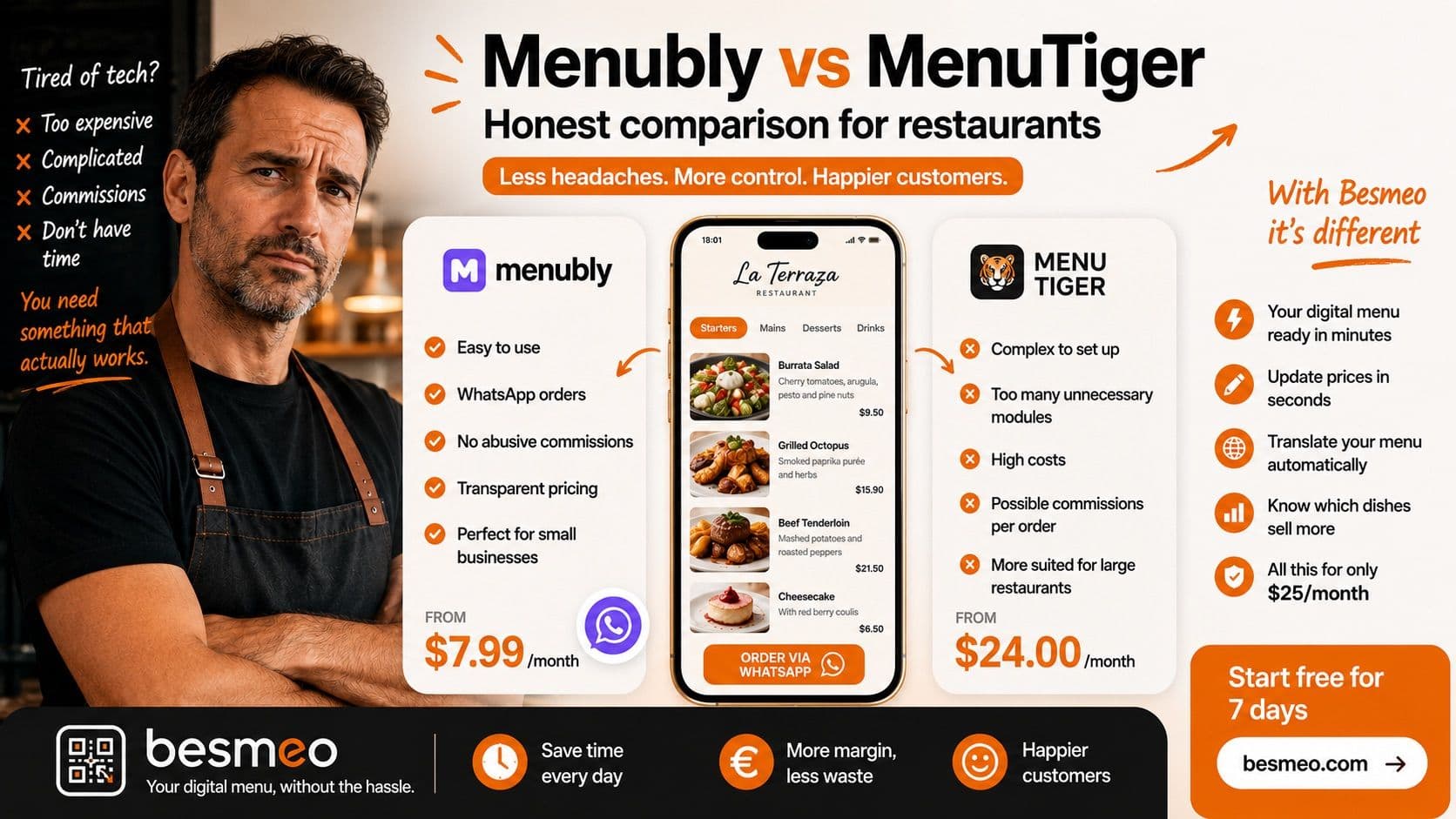
Menubly vs MenuTiger: Which One to Choose (Honest Comparison)
Let’s be clear right from the start. If you own a restaurant, a bar, or a cafe, you know perfectly well that your day-to-day life is absolute chaos. Your shift starts early, haggling over prices with suppliers, continues with putting out fires during the lunch rush, dealing with staff shortages, and ends in the early hours of the morning cashing out when all you want to do is go to sleep.
In the midst of all this madness, someone has told you that you need to "go digital." They’ve told you that you need a QR code menu because paper is a thing of the past, because printing new menus every time the cost of ingredients goes up is throwing money away, and because customers are already used to scanning things with their phones. And they are right. But, when you sit down at the computer to look for options, you find a sea of software programs full of technical jargon, hidden prices, and features that seem designed for NASA rather than for your local pub.
We know you distrust software companies. Many promise you the moon and the stars, and then leave you stranded with a system you don't know how to use, charging you commissions for every single order. That is exactly why we have prepared this completely honest digital menu comparison, designed for you—the hardworking restaurateur who is in the trenches and has no time for nonsense.
Today we are going to put two of the best-known tools on the market head-to-head: Menubly vs MenuTiger. We are going to tear apart what they offer, how much they really cost, what traps they hide, and most importantly, which one will give you fewer headaches.
1. The Big Problem with Technology in the Hospitality Industry
Before entering the direct battle of Menubly vs MenuTiger, you need to understand why choosing the wrong digital menu can be a complete disaster.
Many restaurant owners feel a strong rejection toward technology because of bad past experiences. You buy a program that was supposed to speed up your waiters' work, and it turns out the Wi-Fi fails, the app crashes, and customers get angry because they can't order their food. In the end, you end up pulling the old, stained paper menus out of the drawer because, at least, paper never loses its internet connection.
What you need is a tool that is a solution, not another problem. You need a menu that your customers can scan instantly and clearly see what you offer. You need to be able to change the price of a dish in five seconds from your mobile phone without having to call an IT guy. You need something that just works. Period.
Let's see how our two contenders behave in the real world.
2. Menubly: The Promise of Extreme Simplicity
Menubly is a platform that has gained popularity precisely by trying to go in the opposite direction of complex systems. Their philosophy is based on the idea that creating a digital menu should be as easy as opening a social media profile.
What exactly does Menubly do?
Menubly focuses on the basic and essential. It allows you to create a digital menu that opens when the customer scans a QR code. They do not try to change the entire way you manage your restaurant; they simply replace the paper with a screen.
Main features:
- Quick creation: They promise that your menu will be ready in a few steps. You enter the names of the dishes, the descriptions, the prices, and, if you have time, the photos.
- WhatsApp Orders: This is a very interesting feature for owners of small venues. If you activate orders, your customers can make their selection on their mobile and send the order directly to your WhatsApp. No weird screens in the kitchen; you receive a message, read it, and prepare the order.
- Basic payment integration: They allow you to connect with platforms like Stripe if you want people to pay in advance.
- Simple design: You can upload your logo and adapt the colors to match your brand. They give you a small web page (a mini-site) where they host all this.
The Learning Curve (Is it hard to use?)
For the skeptical restaurateur, Menubly is quite friendly. The interface is intuitive. If you know how to send an email or upload a photo to the internet, you will know how to handle Menubly. It does not require you to configure complicated floor plans or connect network printers.
Pricing and Fine Print of Menubly
This is where many restaurant owners cross their arms and raise an eyebrow. How much does the joke cost? According to the information on their website, they have a fairly transparent model. They have a 30-day free trial so you can tinker around without commitment. After that, their paid plans (like the Pro plan) are around $7.99 to $9.99 per month. It is a very low fixed cost, the equivalent of what a couple of coffees or a drink costs you, and they boast about not charging you abusive commissions for the orders you receive.
What kind of restaurant is Menubly for?
Menubly is ideal if you have a neighborhood bar, a small cafe, a food truck, or a family restaurant where you don't want complications. If your only goal is for the customer to scan and read the menu on their phone, or to place orders for pickup and notify you via WhatsApp, this tool delivers without making you dizzy.
3. MenuTiger: The Giant of Operations
If Menubly is a light and easy-to-handle bicycle, MenuTiger is a heavy-duty freight truck. It is powerful, it carries everything, but it requires you to know how to drive it. MenuTiger, developed by the company QRTiger, is not just a menu creator; it is what technicians call a "management ecosystem."
What exactly does MenuTiger do?
MenuTiger is designed to automate a large part of the restaurant. They want the customer to sit down, scan the code, order food from their phone, pay from their phone, and have the order appear directly on a screen in your kitchen without the waiter ever having to intervene.
Main features:
- Comprehensive order management: Connects the digital menu directly to the restaurant's workflows.
- Kitchen Display System (KDS): In their higher-tier plans, instead of printing a paper ticket, the order appears on a tablet in the kitchen. Note for the owner: If your cook has been shouting orders and stabbing paper tickets on the bar for twenty years, putting a touchscreen in front of them might end in tragedy. Think about it carefully.
- Translation and AI: They have Artificial Intelligence tools to help you set up the menu and support multiple categories and dish modifiers (e.g., "burger with no onion, rare, with extra cheese").
- Satisfaction surveys: They allow the customer to rate their experience after eating.
The Learning Curve (Is it hard to use?)
This is where the traditional restaurant owner might suffer. MenuTiger has a steep learning curve. Properly configuring categories, dish modifiers, assigning QR codes table by table (because MenuTiger distinguishes which table the order comes from), and connecting the payment system takes time and patience. If you do not get along with technology, it is likely that you will need someone younger on your team or an IT specialist to set it up for you.
Pricing and Fine Print of MenuTiger
Power comes at a price. MenuTiger has a very basic free or freemium plan, but they limit you to things like "10 tables or QR codes per store." If your restaurant has more than 10 tables and you want to get real use out of the system, you will have to open your wallet. Their paid plans start around $17 per month for the basics, going up to $46 to $49 for standard options, and can exceed $119 per month if you want premium or white-label plans. Plus, there are limits on the number of monthly orders in some lower-tier plans.
What kind of restaurant is MenuTiger for?
It is the right choice if you have a large restaurant, a high volume of customers, or if you manage a franchise with several branches. If your front-of-house staff can't keep up and you need the customers themselves to manage their orders and payments from the table to turn tables faster, MenuTiger has the muscle to do it.
4. Central Comparison Table
So you don't get lost in the details, here is the direct summary. If you are wondering whether to choose Menubly or MenuTiger, this is what matters, face to face.
| Feature | Menubly | MenuTiger | | :--- | :--- | :--- | | Main Focus | Simple and fast visual menu | Complete automation of floor and kitchen | | Ease of Use | Very high. Ready in minutes. | Medium/Low. Requires technical setup. | | Monthly Price (approx.) | From ~$7.99 - $9.99 | From ~$17 up to +$119 | | Hidden Limits | Few advanced integrations | Table/order limits on lower plans | | Order Reception | WhatsApp, basic platform | Proprietary system, integration with KDS (kitchen) | | Modifier Management | Basic | Very advanced (extra cheese, meat temp) | | Restaurateur Profile | Seeks simplicity, no complications | Seeks efficiency and data control |
5. Head-to-Head Analysis: The Daily Battles
Battle 1: Ease for the owner and the waiter
In the hospitality industry, time is not money; time is survival. If on a Thursday afternoon your meat supplier tells you that sirloin has gone up 20%, you need to be able to log into your digital menu and raise the price of the dish in one minute before the dinner service begins.
- With Menubly, this is a two-click process. You log in from your phone, change the number, and it updates instantly for the customer.
- With MenuTiger, it is also fast, but being a more robust system, the interface has many more options and buttons that can overwhelm an inexperienced user.
- Winner for the tech-skeptic: Menubly.
Battle 2: The end-customer experience
What does your customer see when they sit down, take out their smartphone, and scan the code on the napkin holder?
- With Menubly, the customer sees a clean design, reads the dishes, and orders from the waiter (or sends a WhatsApp if you have it active). Fast, just like paper, but on their phone.
- With MenuTiger, the customer has a more interactive experience. They can see the dishes, select variants, split the bill with their friends by entering their card, and leave a tip. It's wonderful... if your type of customer is young and tech-savvy. If your clientele is older, or the type who likes the waiter to advise them, having so many options on the screen can frustrate them.
- Winner: It depends on your clientele. Menubly for traditional customers; MenuTiger for modern fast-casual spots.
Battle 3: Technical Support
When software fails at 9:30 PM on a Saturday with the restaurant bursting at the seams, there is nothing more panic-inducing.
- Both platforms offer email support and online help centers.
- Neither of them is going to send a technician on a motorcycle to your restaurant to fix your problem on the spot. Because of this, the simpler the system, the less likely it is to break. Menubly wins points here out of pure simplicity; being basically a menu viewer, it is very rare for it to "crash" or generate a conflict in the middle of an order.
Battle 4: Value for Money
Nobody likes paying monthly fees. We would all like to buy a program once and forget about it. Unfortunately, almost all software today works by subscription.
- MenuTiger charges you based on the value it brings to you by automating your business. Paying $49 or more a month is justified if thanks to that system your tables turn 15% faster and you save hiring an extra waiter during peak hours.
- But if you just want people to read your dishes on their screen, paying those fees is throwing money away. For that, the ~$9 of Menubly makes a lot more sense.
6. The Hidden Factor: Maintenance Time (The Big Secret They Don't Tell You)
There is something that neither Menubly nor MenuTiger talks about clearly in their advertising. They sell you that "you will create your menu in minutes," but they hide the hardest part of the job from you: the content.
You are a restaurateur. You are not a food photographer, nor a certified translator, nor an expert in menu copywriting. Any QR code system is going to ask you to enter the dishes yourself. You will have to type "Homemade Iberian ham croquettes," you will have to set the price, and they will ask you to upload a photo.
What do you do then? Do you take a photo with your old phone under the fluorescent light of the kitchen so the dish looks sad and colorless? Bad photos scare customers away. And what if tourists come? You'll have to take every dish, go to Google Translate, and pray it doesn't translate your "Ropa Vieja" directly as "Old Clothes" (a classic and real mistake). All this falls on your shoulders, robbing you of hours of sleep or time with your family.
Both programs give you a blank canvas, but you are the one who has to paint the picture. And that, my hospitality friend, is a real pain.
7. A Third Option If You Need Photos and Automatic Translation
If everything you have read so far sounds like "too much work for me," there is an alternative. If what you really want is to have the work taken off your plate, without having to be an IT expert, there is a third way designed precisely for your profile: Besmeo (besmeo.com).
Besmeo enters this digital menu comparison because it solves exactly the headache that Menubly and MenuTiger leave in your hands: filling out the menu content.
Why is it different for the owner who hates technology?
- Professional images without a photographer: Besmeo is designed to automatically associate high-quality images with your dishes. You don't have to spend hours trying to take a good photo of your potato salad; the system helps your menu look professional and irresistible from minute one.
- Real automatic translation: If you are in a tourist area, you know how vital it is to have the menu in English, German, or French. Instead of making you translate dish by dish by hand, Besmeo does it for you automatically. That way you don't waste time or embarrass yourself with confused tourists.
- Simplicity is power: Just like Menubly, it is incredibly easy to use, but it provides that added value of "doing the heavy lifting for you." You enter your dishes, and the tool beautifies and translates them for you.
If you are the type who prefers to delegate, forget about technical problems, and simply have a beautiful, multilingual menu that works via QR, Besmeo.com is, being totally honest, the path of least resistance.
Do you want to see how your restaurant menu would look like ?
Ready to digitize your restaurant?
Create my menu8. Frequently Asked Questions (FAQs) About Digital Menus
Can I create a digital menu for free? Yes, both Menubly and MenuTiger offer free versions or trials. However, keep in mind that free plans usually have limitations (like a cap on orders or the number of tables you can manage) or include advertising from the brand itself.
Do I need to buy tablets or new equipment? If you are deciding between Menubly or MenuTiger and you choose the simpler system (Menubly, or even Besmeo), you do not need new hardware. You manage everything from your regular phone or computer, and the customer uses their own smartphone. If you opt for MenuTiger to take advantage of its kitchen features (KDS), you will have to invest in screens or tablets for your cooks.
My customers are older, will they know how to use it? This is the biggest fear in traditional hospitality. Nowadays, almost everyone knows how to scan a QR using their phone's camera. The key is not to force them to navigate through a complicated system. If you use platforms that show the menu clearly, as if it were a piece of paper, they will have no problem. Besides, we always recommend keeping at least two or three physical menus behind the bar for that customer who, no matter what, refuses to take out their phone. Good service always rules.
How long does it take to update a price? On any current platform (Menubly, MenuTiger, or Besmeo), changing a price takes seconds. You log into the app with your password, edit the dish amount, and save. The next customer who scans the code at the table will instantly see the new price. The days of crossing out prices with a pen on cardboard menus are over.
Conclusion
The final verdict in the menubly vs menutiger battle depends entirely on the size of your problem.
If you have a high-volume restaurant, lots of staff, several locations, and your main problem is that the waiters can't keep up with taking notes and cashing out, MenuTiger is a powerful investment that will turn your dining room into a well-oiled machine.
If you have a traditional venue, you run away from technology, and all you want is to stop printing paper and be able to update your prices easily without spending a lot of money, Menubly is the logical choice.
And if you want the best of simplicity but are terrified of having to find photos for all your dishes and translate the menu for foreign tourists, Besmeo is your silent lifesaver.
Technology is there to serve you and your restaurant, not the other way around. Choose the tool that lets you sleep peacefully at night, print your QR codes, and get back to what really matters: feeding your customers well.